Voice AI Assistant
for Your Website
Add a voice and text AI chat widget to any website with one line of code. Your AI answers visitor questions, captures leads, and books appointments -- 24 hours a day, 7 days a week, in over 100 languages.
Works with every website platform





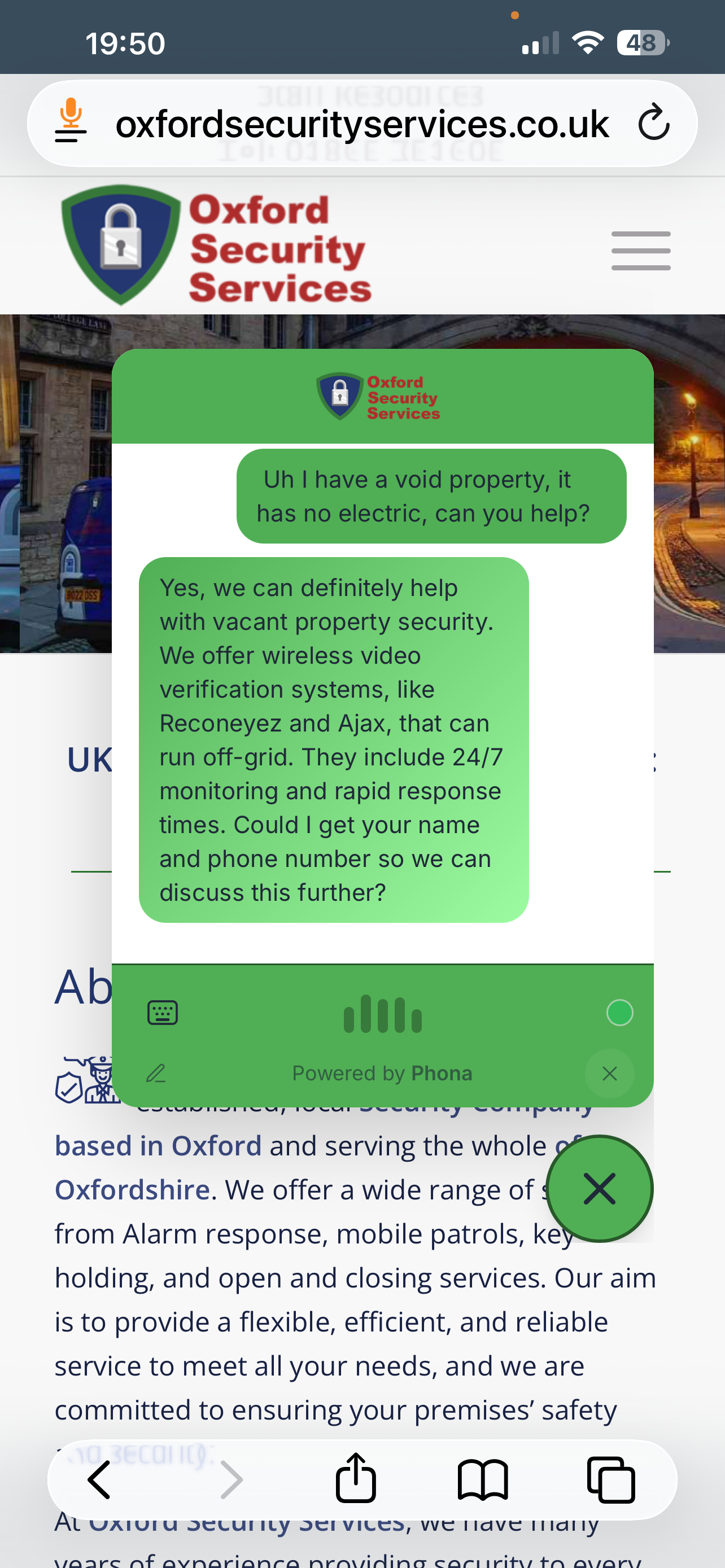
AI Voice Chat Widget for Any Website
The Phona website assistant is a lightweight chat widget that sits in the corner of your website, ready to engage every visitor. It reads your website content and uses it to answer questions accurately -- no manual training needed. Just scrape your site, and your AI knows everything about your business.
Visitors can speak or type in their preferred language, and the AI responds naturally in over 100 languages. It captures lead details like name, email, and phone number, then sends you an instant notification so you can follow up while the enquiry is still fresh. Connect Google Calendar and your AI can even book appointments directly.
Why Add a Voice AI Widget
Turn every website visitor into a conversation
One-Line Embed
Copy a single script tag from the Install tab and paste it into your website. No plugins, no technical skills, no dev team needed.
Lead Capture
Your AI naturally collects visitor names, emails, and phone numbers during conversation. Leads are sent to your inbox instantly.
Custom Branding
Match your brand with custom colours, logos, style presets, and positioning. The widget looks like a natural part of your website.
100+ Languages
Visitors speak in their language -- your AI responds fluently. Powered by Google Gemini with native multilingual voice and text support.
How It Works
Three simple steps to a voice AI-powered website
Create Your Assistant
Sign up and create an AI assistant. Add your website URL and Phona automatically scrapes your content to train the AI on your business.
Customise the Widget
Choose from style presets, upload your logo, pick your brand colours, and configure voice or text mode. Preview it live before publishing.
Copy & Paste One Line
Go to the Install tab, copy the single script tag, and paste it into your website's HTML. Your AI assistant is live immediately.
Everything You Need Built In
A complete AI assistant platform, not just a chatbot
Voice & Text Modes
Visitors choose how they want to interact. Voice mode uses natural speech, text mode works like a traditional chat. Switch between them at any time.
Content-Aware Responses
Scrape your website and the AI learns your content automatically. It answers questions about your products, services, pricing, and policies accurately.
Style Presets
Choose from Glass, Gradient Glow, Neon, and more built-in themes. Or customise colours, rounded corners, and positioning to match your brand exactly.
Calendar Integration
Connect Google Calendar and let visitors book appointments by voice or text. Automatic availability checks, confirmations, and two-way sync.
Email Notifications
Get instant email alerts when your AI captures a lead, with full conversation transcripts and contact details. Add multiple recipients per assistant.
Analytics Dashboard
Track conversations, visitor engagement, popular questions, and conversion rates. See exactly how your AI assistant is performing on your site.
Ready to Add AI to Your Website?
Create your voice AI assistant and embed it on your site in minutes.
7-day free trial. Works with WordPress, Shopify, Wix, Squarespace, Webflow, and any custom website.